Create your identity
Choose an available Apple, Google, email verification or Guest ID option. Availability depends on platform.
Build a useful cashbook in minutes, then add detail, team access and backups as your records develop.
Choose an available Apple, Google, email verification or Guest ID option. Availability depends on platform.
Add and select a business so its accounts, categories, payment modes and records stay organised.
Choose the account type, currency, opening balance and other available account details.
Open the account and add cash in or cash out with the amount, time and relevant details.
Apply categories and payment modes, add descriptions, contacts and supported images when useful.
Search for a registered iCashPro user, choose a role and complete any required Owner approval.
Keep the app online for authentication and shared updates, and create regular JSON backups.
Use search, date filters, summaries and supported reports to understand the records you entered.
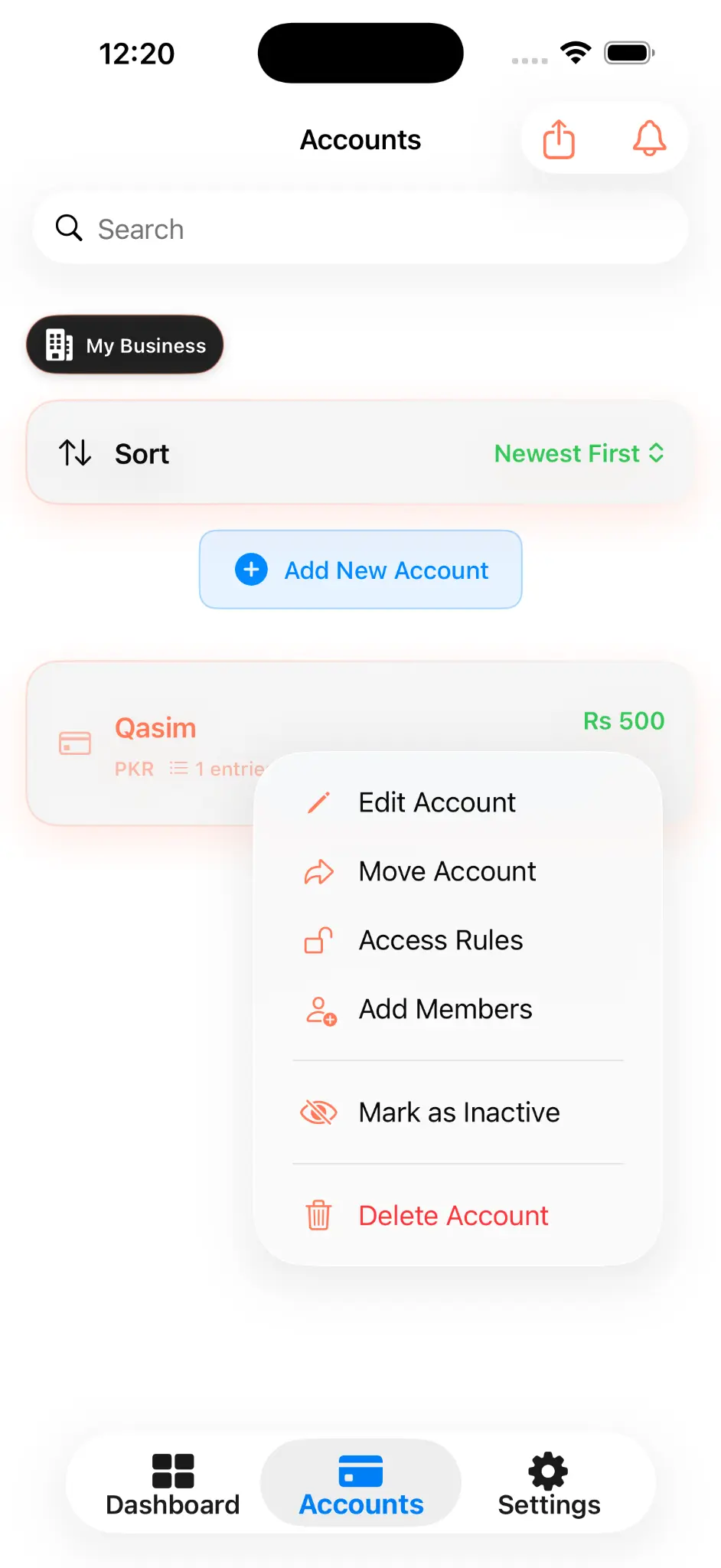
Open an account's action menu to edit it, review Access Rules or invite a member according to your role.
Common controls remain together in one menu.
Choose Owner-supported access for invited members.
See the permissions attached to a selected role.
The Help Centre covers setup, daily use, sharing, backup, security and troubleshooting.